


Motor1.com Really Likes GM’s Google Built-in Infotainment System
“Infotainment” is a once-slang term that has become mainstream. It describes all the systems we mainly access through a vehicle’s touchscreen. A few decades ago, when “Infotainment” was limited to AM/FM radio and a CD player, these features were rarely mentioned in a model review beyond how well the speakers sounded. Today, we have reviews dedicated entirely to these systems, as seen in Motor1.com’s review of GM’s fairly new Google-built-in system. It turns out they like it a lot, which Twin Falls Chevrolet summarizes in this post.
Motor1.com selected a big vehicle with a big screen for their review. The Suburban, similar to the Tahoe and several Silverado models, has a 17.7-inch center touchscreen. It is mounted horizontally on a dash layer that positions it roughly even with the upper half of the steering wheel. Within the steering wheel is an 11.0-inch digital driver’s display that can interact with the large touchscreen in a limited way.
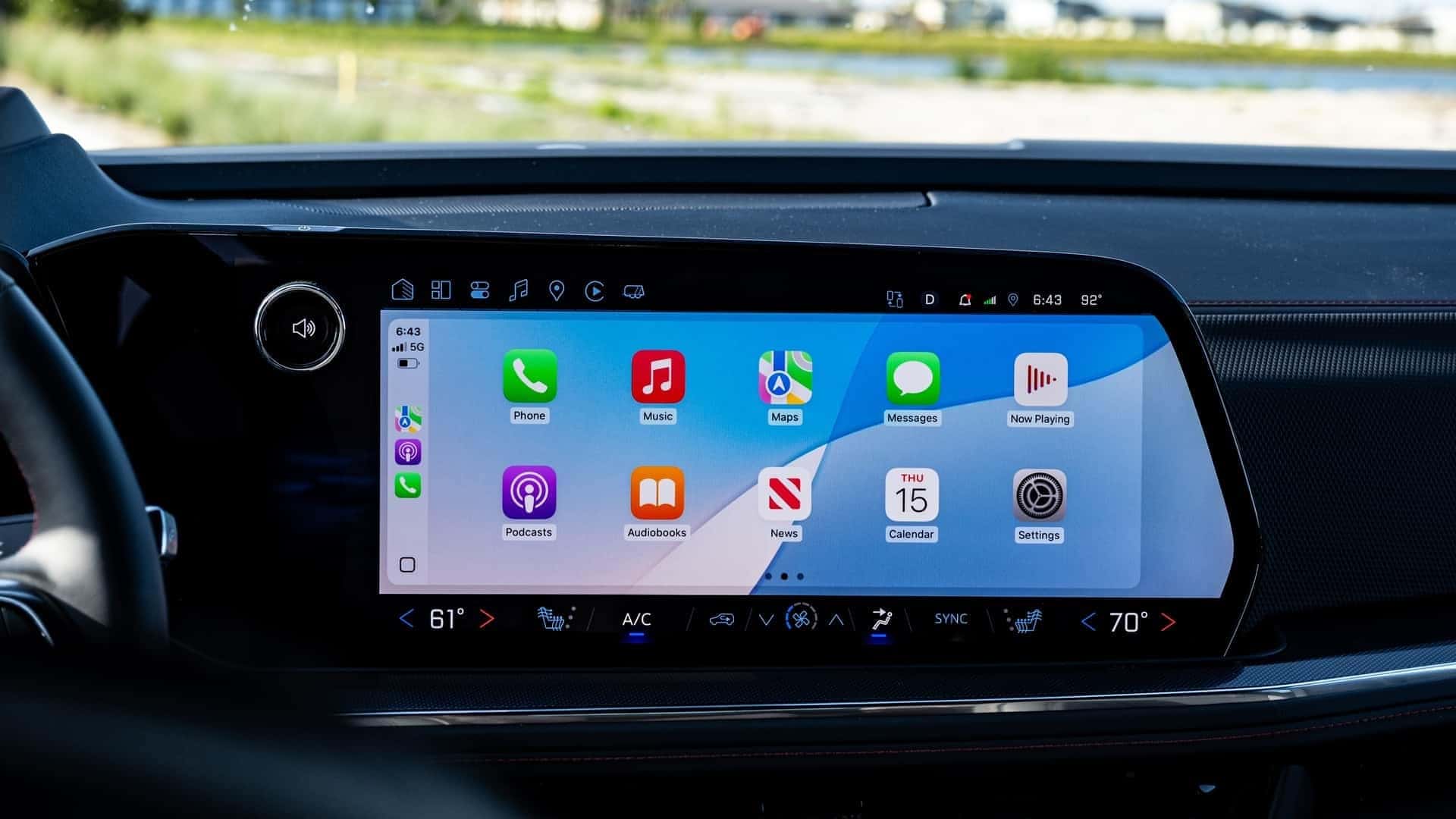
Behind the big touchscreen is the Google Built-in operating system. Therefore, it was created by experts in this field, who already know the ins and outs of personal technology. The result is a clear, easy-to-use system that is logical, intuitive, and responds quickly. The system had to be reliable for GM customers, and as an added benefit, Apple CarPlay and Android interfaces are still available, and they can connect wirelessly via Bluetooth.
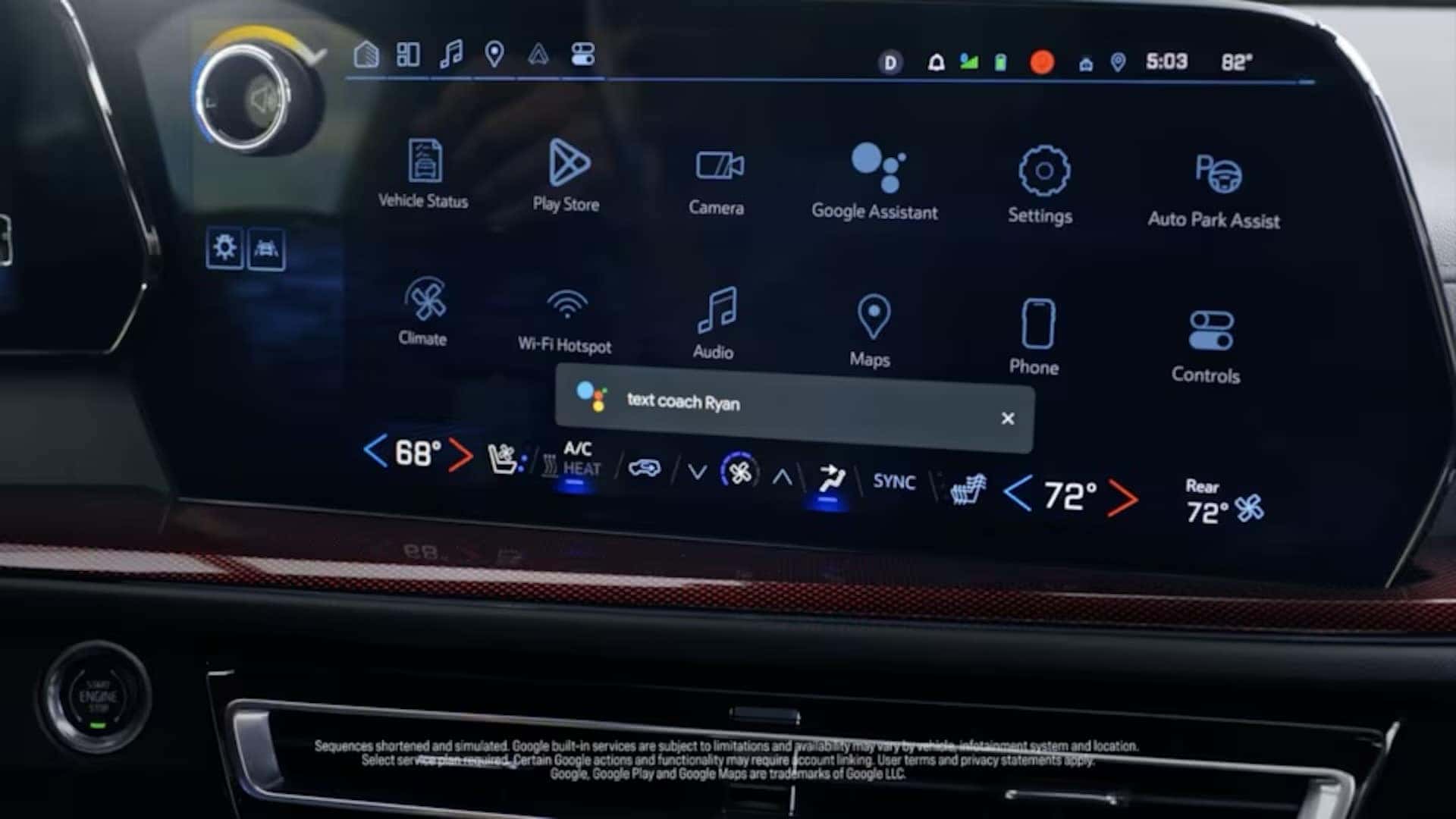
Motor1.com found few issues using the native system. “Chevy’s native graphics are modern and crisp, with a blue-tinged background that makes it all feel a bit more futuristic. Options on the home screen are arranged neatly and require only one or two taps to get you where you need to go, which means you can quickly parse things while on the move. No need to go digging.” You also have use of the popular Google Maps navigation app, even if you’re driving to the “Fix-it” shop to get your phone repaired, or if you’ve just left it at home. Also on hand are both Amazon Alexa and Google Assistant voice recognition systems that work better than most native vehicle systems, and you can choose the one that understands you the best.
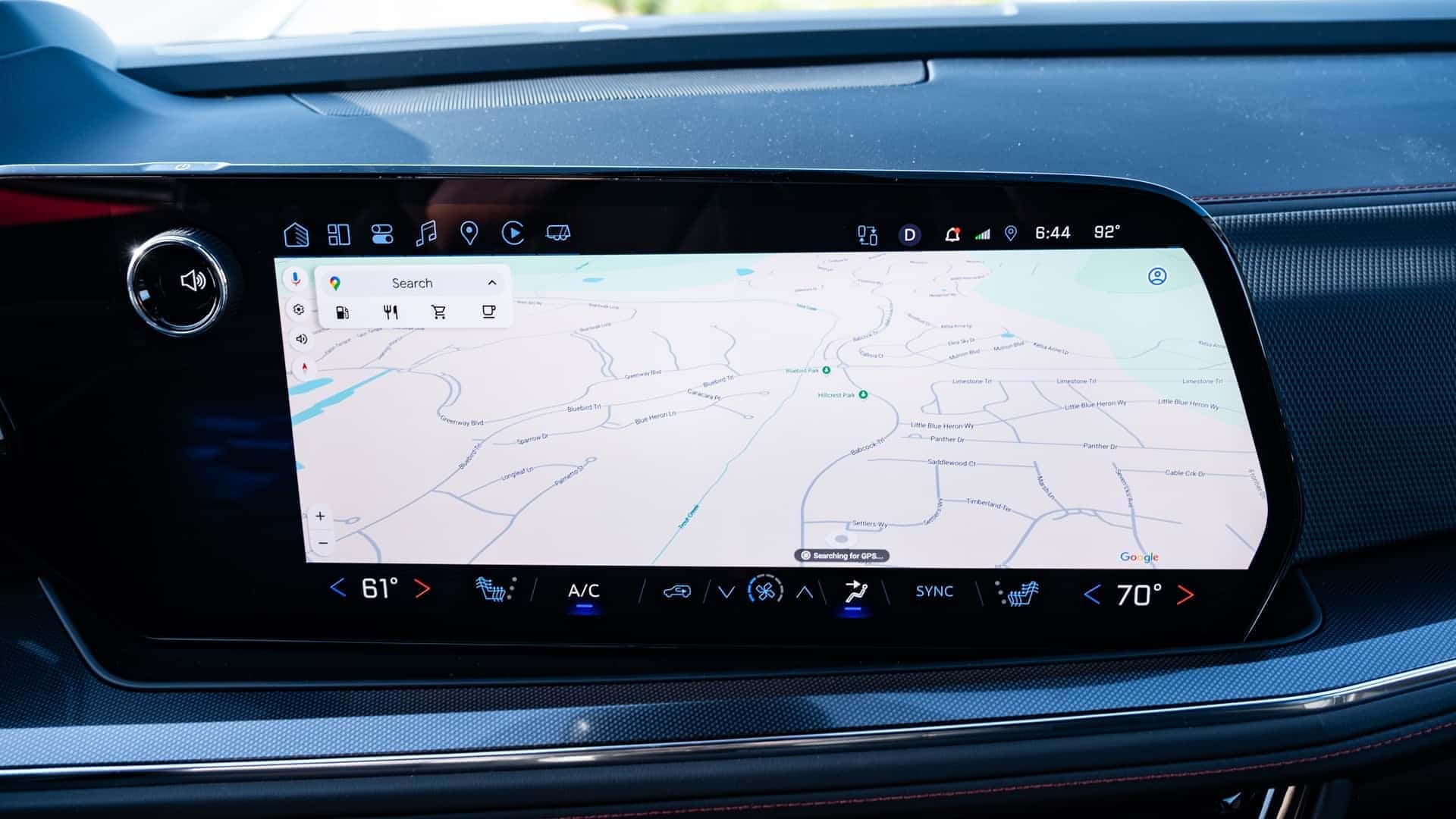
If you choose to use your smartphone interface, the system fills the entire screen, unlike some systems that slightly shrink the display to fit a preset proportion. Motor1.com suggests adding a “Home” icon that can quickly take you out of the smartphone interface and back to GM’s system with one tap, instead of the two it currently requires. However, they recognize this as a minor issue.
Regardless of the system used, the bottom of the screen is dedicated to the climate control system, and for most models, this duplicates the physical controls below, allowing you to choose which set to use.
For those who just listen to a favorite local radio station every time they’re in the car and never go anywhere new, this may seem much ado about nothing. However, even they may soon find themselves listening to podcasts or their favorite music app if it is easy enough to do so. Please visit Twin Falls Chevrolet to explore the Google Built-in system, available on several Chevrolet models.
0 comment(s) so far on Motor1.com Really Likes GM’s Google Built-in Infotainment System